 Russian
 Ukrainian
 English
 Polish
How to install graffiti for CS 1.6
Installing graffiti and spray logos is not difficult. The most important thing is to understand which files to transfer to which folder. No additional programs are required during the installation process.
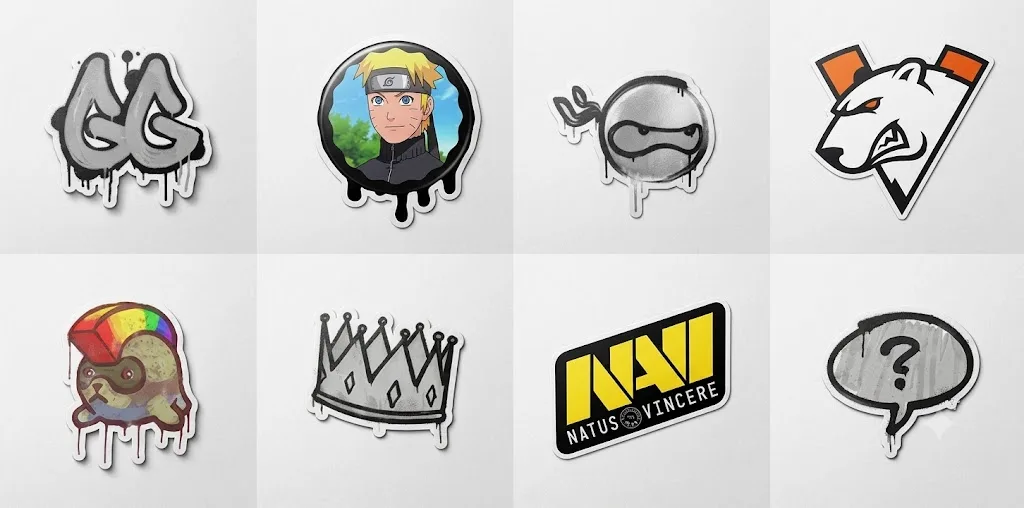
Installing graffiti or spray logo is not difficult. The most important thing is to understand which files to transfer to which folder. No additional programs are required during the installation process.
How to install color graffiti
Download top color graffiti on https://cs16adrenalin.com/ru
In the downloaded archive find tempdecal.wad.
Copy it to a folder cstrike (replace existing files).
Features
Colored graffiti is an advanced spray that allows you to use 256 colors at once, instead of just one. Technically, this became possible due to the fact that ready-made graffiti is installed into the game immediately, in contrast to the standard process, when the game paints black and white graffiti in the color selected in the settings.
tempdecal.wad – the main file in which color graffiti is stored.
Doesn't appear in settings, but it works in the game. In the settings you will see the last black and white graffiti you used.
Simultaneously in the game you cannot install several different graffiti, because tempdecal.wad is replaced during installation.
Can be resetwhen changing game settings, if the Read-Only mode on tempdecal.wad is not used.
How to install black and white graffitiDownload top black and white graffiti on https://cs16adrenalin.com/ru
In the downloaded archive find BMP file or files.
Move them to a folder cstrike/logos (if necessary, replace existing ones or use a different file name).
In the game settings select installed graffiti and its color.
Features
Black and white graffiti (also called monochrome or one-color) are sprays with one color, which is selected in the game settings. At the same time, you can set any quantity and select the one that will be used in the settings.
Can be used any file name.
File format is always BMP.