 Russian
 Ukrainian
 English
 Polish
How to open the console in cs 1.6
Don’t know how to open the console in cs 1.6? The console open button doesn't work? - No problem, right now we will tell you how to make a working console in CS 1.6, enjoy reading!
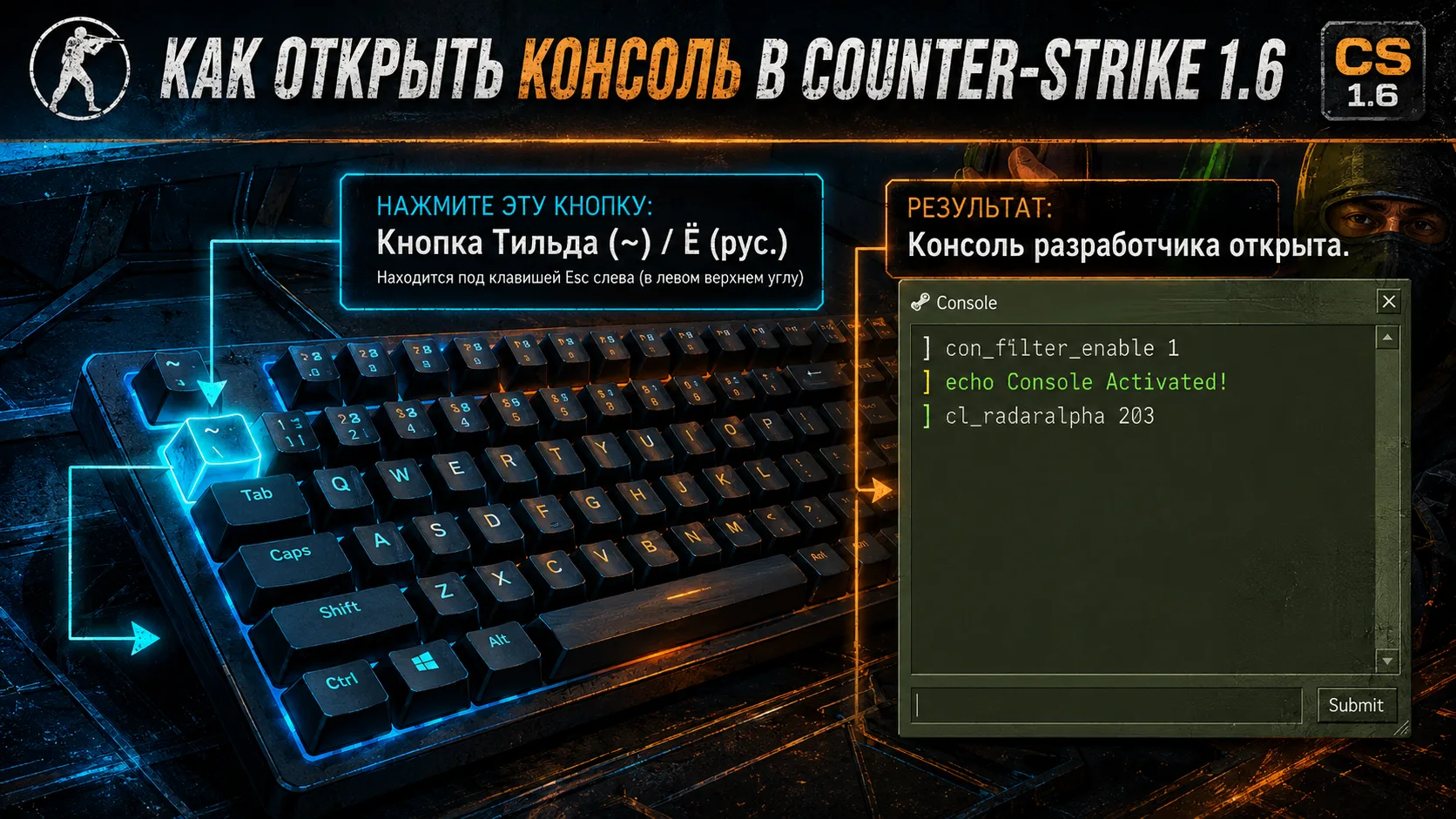
We are glad to welcome you to our gamers and fans of the popular game Counter Strike 1.6, today we will find out the answer to a very popular question - “How to open the console in cs 1.6” and what to do if the console does not open in cs 1.6 by pressing a button.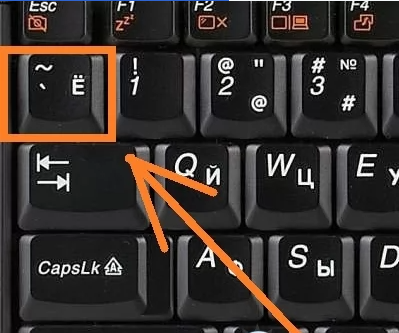
For completely different reasons you need to enter console commands cs 1.6 and many simply don’t know how open console, but don’t worry, everything is quite simple -To open the Console you need press the “е” key on the keyboard of your PC or laptop. The open button “е” is located in the upper left corner of the computer keyboard, immediately below the ESC button.
How to open the console in cs 1.6 if the button does not work
It happens that the game clients are configured incorrectly and the console simply does not open when you press the “e” button, this rarely happens, but it is possible, and we will solve this problem right now!
1.The first way to solve the problem of opening the console in CS 1.6
Go to the game folder on your computer, then there find the folder /cstrike/ and file config.cfg, open this file using a standard application Notepad, and in at the very end enter the value console 1, if you notice that there is a value in the file console 0, then just change 0 to 1, then save the File, then start the game and try to open the console using the button./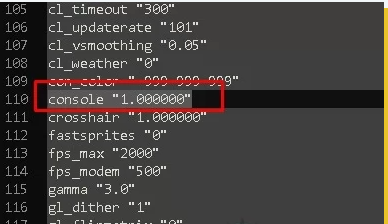
2.Second way to solve the problem of opening the console in CS 1.6
Find the CS 1.6 game shortcut on your desktop, then right-click on it and find the tab Shortcut and field Object, there must be a parameter at the end hl.exe" –console , if it is not there, then add it at the very end –console, but don't remove anything, just add the value –console,You can see how it should turn out in the end in the screenshot below: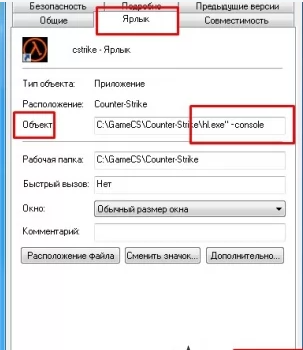
Congratulations, now you know how to make a working console in Cs 1.6 and what to do if it doesn’t work, and of course, now you can safely use the various console commands that are available to increase FPS, ping, improve shooting and much more.